Linux Command Line Decompression Tips
Contents
Everyone finds it frustrating that Linux has numerous compression formats, and each format corresponds to different commands, which is quite a headache.
Let me introduce a method to you:
Add this to your bashrc:
|
|
To decompress files, simply type “ex [compressed file]”. If you have other compressed file formats, you can add them yourself.
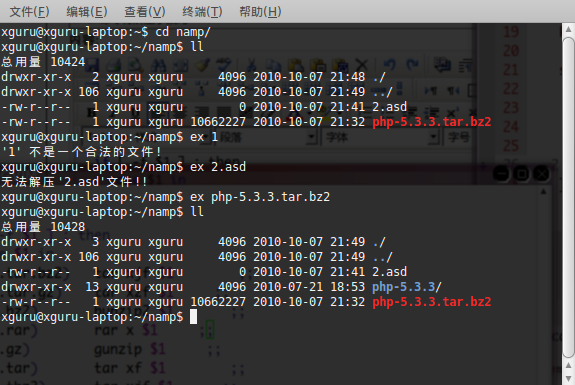
Say goodbye to annoying various decompression commands from now on.
Original link: http://www.cppblog.com/xguru/archive/2010/10/07/128952.html